System Health
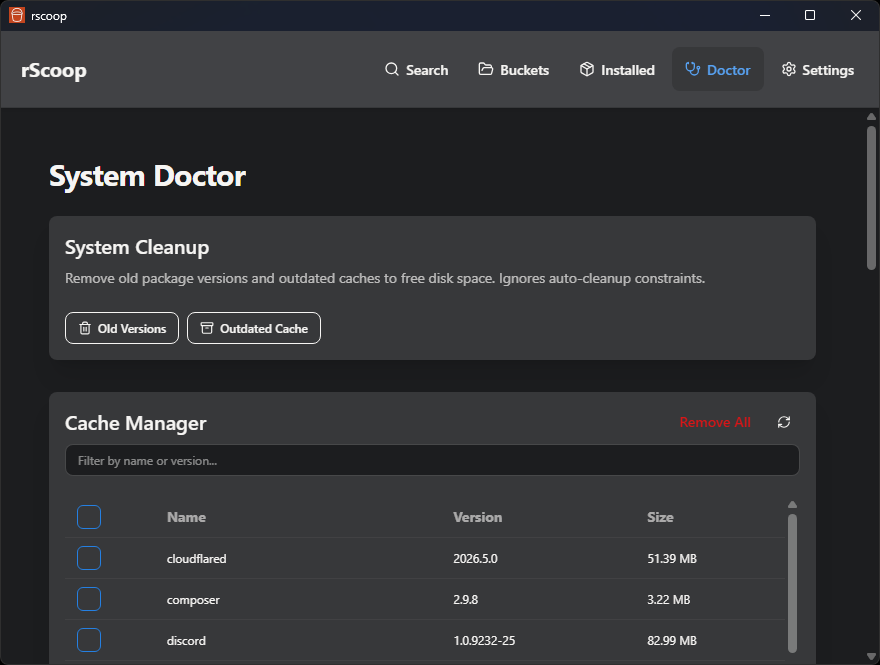
The Doctor page is where you maintain your Scoop installation.
Checkup
Runs diagnostics through the run_scoop_checkup command. Checks for:
- Missing Git or 7-Zip
- Broken shims
- Other common Scoop problems
If something’s missing, you can install it with one click. The checkup reruns automatically after each fix so you can confirm it worked.
Cleanup
- Clean up old app versions wraps
scoop cleanup *to reclaim disk space. - Clean outdated cache removes stale installer archives.
Both operations stream progress into the operation modal.
Cache Manager
Lists every cached installer file with its size. You can remove files individually or clear the entire cache at once.
Shim Manager
Shows every Scoop shim and the executable it points to. From here you can:
- Remove shims you don’t need
- Modify where a shim points
- Add new shims for arbitrary executables