rScoop
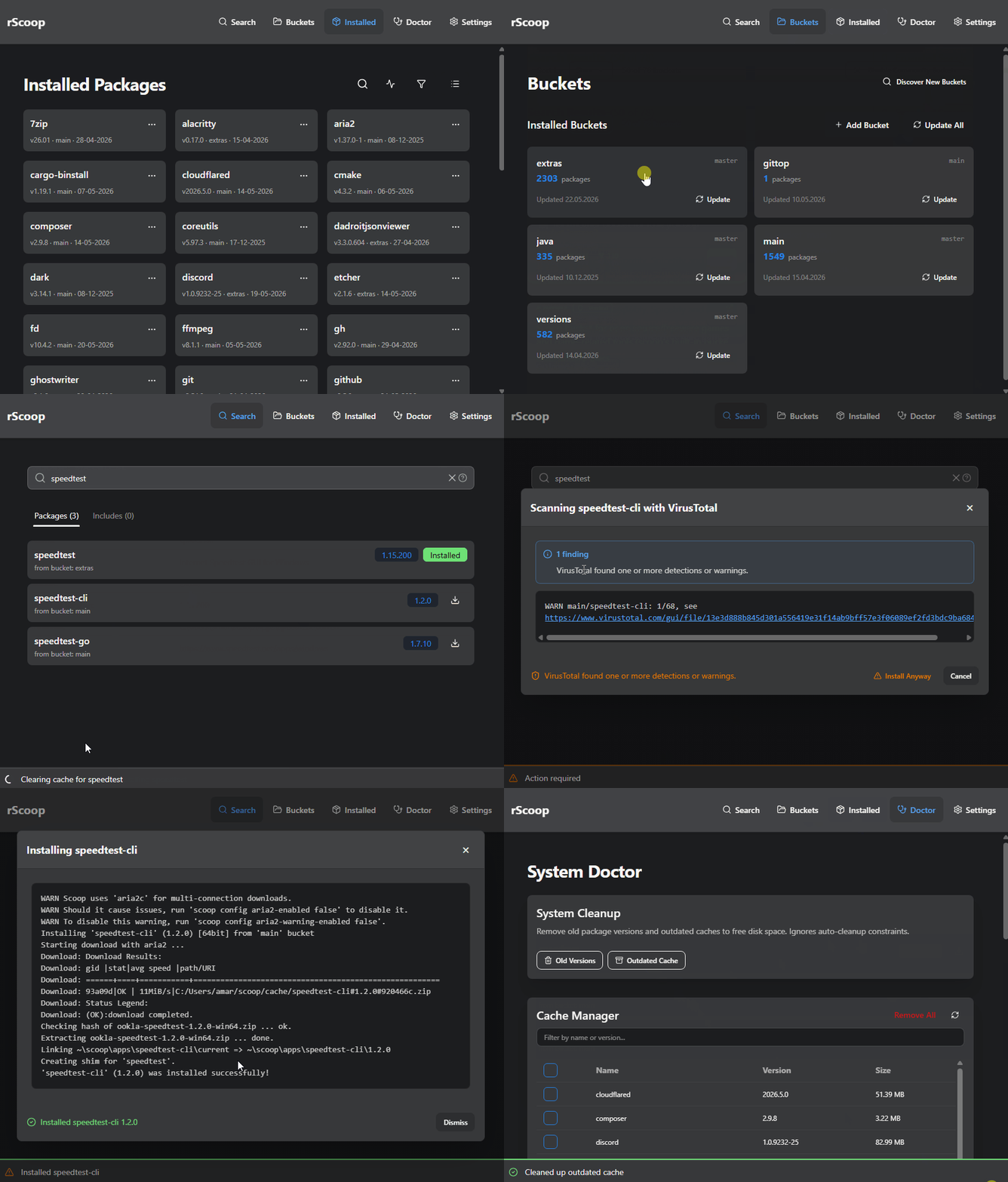
rScoop is a desktop GUI for Scoop. It doesn’t replace Scoop, it gives you an interface for it. Search across all your buckets, install and update packages, manage buckets, clean up disk space, and optionally scan downloads through VirusTotal from one window.
Built with Rust and SolidJS on Tauri 2. It can stay in your system tray when you’re not using it and send desktop notifications when operations finish.
What you get
- Search across every added bucket at once. Results show the bucket, version, and whether you already have it installed.
- Install, update, hold, uninstall, or switch versions of packages with live progress output. Operations run in the background so you can keep browsing.
- Profile export & import. Save your rScoop + Scoop setup (apps, buckets, holds, config) to a portable JSON file. Restore it on a new machine to rebuild the same environment. Export groups let you choose apps, buckets, holds, config, and preferences.
- Bucket discovery. Browse your current buckets or search GitHub for community ones. Add and remove from the UI.
- System Doctor. Checks for missing Git, 7-Zip, broken shims, and other common Scoop issues. One-click cleanup for old versions and stale caches. Full cache and shim manager built in.
- VirusTotal scanning. Paste your API key in settings and rScoop scans packages before install. Configurable threat threshold.
- Tray launcher. Pin your favorite Scoop apps to the top of the tray menu, hide the ones you never launch, and see your full app list with executable icons.
- Auto-updates. Background bucket and package updates on a schedule you pick (1h, 6h, 24h, 7d, or custom interval).
- Multi-language support. Translations are managed through Crowdin. English, German, and Simplified Chinese are complete; other languages need contributors.
Requirements
- Windows 10 version 2004 or newer
- Scoop installed and working
- For development: Node.js 18+, Rust stable, Visual Studio Build Tools
Get started
Head to Getting Started for install instructions, or jump into the User Guide to see what each page does.
If you’re a developer, check the Architecture and Developer Guide.